How to Speed Up a WordPress Website in 2026
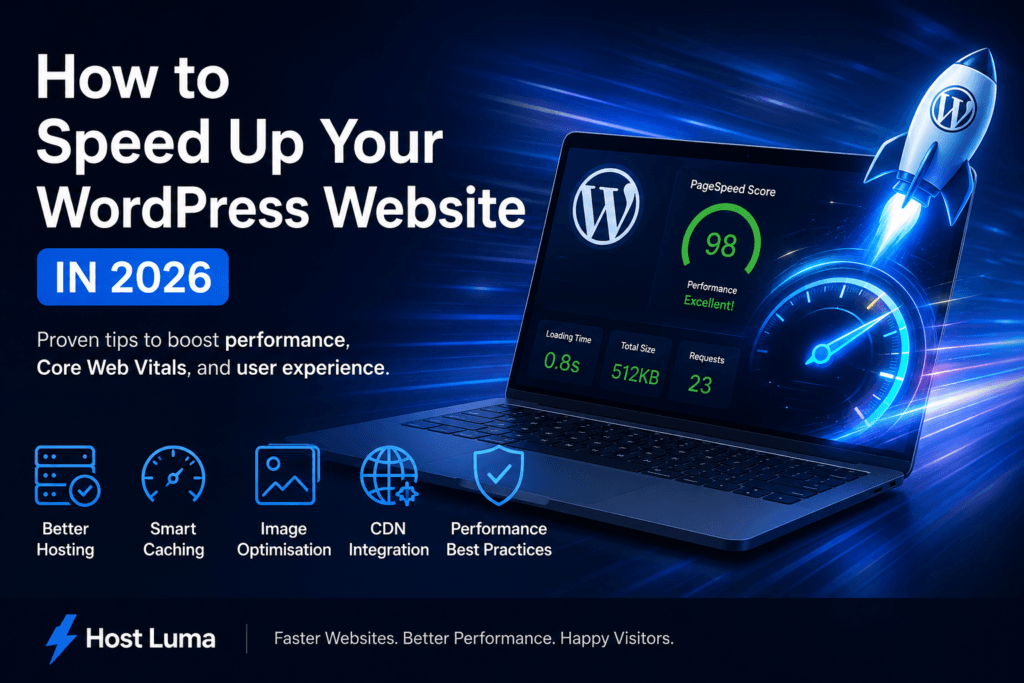
WordPress speed optimisation is one of the most important improvements you can make to a business website in 2026. A faster WordPress site feels more professional, keeps visitors engaged for longer, and can support better search visibility when combined with strong content and technical SEO.
Many WordPress websites start out reasonably fast but become slower over time. New plugins are added, images become larger, scripts build up, themes get heavier, and hosting resources may no longer match the needs of the site. The good news is that most performance issues can be improved with a structured approach.
This guide explains how to speed up a WordPress website in a practical, realistic way. It covers hosting, caching, image optimisation, Core Web Vitals, plugins, databases, CDNs and regular maintenance.
What Is WordPress Speed Optimisation?
WordPress speed optimisation is the process of improving how quickly a WordPress website loads and responds for visitors. It is not just about chasing a perfect score in a testing tool. A properly optimised website should feel fast in real use, especially on mobile devices and slower connections.
Good optimisation usually includes several areas working together:
- Fast and reliable hosting
- Efficient caching
- Optimised images
- Clean plugin usage
- Updated PHP and WordPress software
- Reduced JavaScript and CSS bloat
- Improved Core Web Vitals
- A suitable content delivery network
The best results usually come from fixing the biggest bottlenecks first rather than applying every possible setting at once.
Why Website Speed Matters in 2026
Website visitors expect pages to load quickly. If a page feels slow, many users will leave before reading the content, filling out a form, or making a purchase. This is especially important for small businesses that rely on their website to generate enquiries.
Speed also affects trust. A slow website can make a business look less professional, even if the service itself is excellent. Visitors often associate a fast website with a more reliable company.
From an SEO perspective, speed is one part of the wider user experience. Google has made page experience and Core Web Vitals part of the conversation around rankings. A fast site alone will not guarantee top positions, but a slow and frustrating site can hold back otherwise good content.
Start With Better WordPress Hosting
Hosting is the foundation of WordPress performance. If the server is slow, overloaded or poorly configured, every other optimisation becomes harder.
A strong hosting setup for WordPress should ideally include modern server software, fast storage, current PHP versions, good resource allocation, caching support and active security monitoring. NVMe storage, LiteSpeed Web Server, HTTP/3 support and server-side caching can all contribute to faster loading times when configured properly.
Cheap shared hosting can work for basic websites, but it often struggles when a site grows, receives more traffic or uses heavier plugins. Business websites, WooCommerce stores and Elementor-based sites usually benefit from managed WordPress hosting because performance, updates, backups and security are handled more carefully.
If your website has been optimised but still feels slow, hosting quality should be one of the first things to review.
Use Caching Correctly
Caching is one of the most effective ways to speed up a WordPress website. WordPress normally generates pages dynamically by loading PHP, querying the database and building the page for each visitor. Caching stores a ready-made version of the page so it can be served more quickly.
For websites running on LiteSpeed servers, LiteSpeed Cache is a powerful option because it can work closely with the server itself. It can help with page caching, browser caching, CSS optimisation, JavaScript optimisation, image optimisation and object caching depending on the setup.
However, caching should be configured carefully. Aggressive settings can sometimes break layouts, forms, sliders, menus or checkout pages. Always test important pages after changing caching settings.
Good caching should make the website faster without damaging the visitor experience.
Optimise Images Before They Slow the Site Down
Images are one of the most common causes of slow WordPress websites. A single large photo uploaded directly from a phone or camera can be several megabytes. If several large images appear on one page, load times can become poor very quickly.
Image optimisation should include:
- Resizing images to sensible dimensions before upload
- Compressing images without visible quality loss
- Using WebP where supported
- Adding descriptive alt text
- Lazy loading images below the fold
- Avoiding huge background images where smaller ones would work
For most business websites, images do not need to be uploaded at full camera resolution. They only need to be large enough to look sharp in the layout where they are displayed.
Using WebP images can often reduce file sizes significantly while keeping good visual quality. This can improve page weight, especially on image-heavy landing pages and blog posts.
Improve Core Web Vitals
Core Web Vitals are performance metrics that focus on user experience. The main metrics are Largest Contentful Paint, Interaction to Next Paint and Cumulative Layout Shift.
Largest Contentful Paint measures how quickly the main visible content loads. If your hero image, heading or main section takes too long to appear, LCP may be poor.
Interaction to Next Paint measures how quickly a page responds after a user interacts with it. Heavy JavaScript, overloaded plugins and third-party scripts can affect this.
Cumulative Layout Shift measures unexpected layout movement. This often happens when images, ads, fonts or embedded content load without reserved space.
Improving Core Web Vitals usually involves reducing server response time, optimising images, controlling scripts, improving caching and making sure the page layout is stable.
Reduce Plugin Bloat
Plugins are one of the biggest advantages of WordPress, but they can also become a performance problem. Every plugin adds code, and some plugins load scripts or styles on every page even when they are only needed in one place.
Instead of asking only how many plugins are installed, look at plugin quality and purpose. A website with 25 well-coded plugins may perform better than a website with 10 heavy or outdated plugins.
Review plugins regularly and ask:
- Is this plugin still needed?
- Is it actively maintained?
- Does it duplicate another plugin?
- Does it load assets on the front end?
- Could the same feature be handled more efficiently?
Removing unused plugins can improve performance, reduce security risk and make the website easier to maintain.
Use a CDN for Static Assets
A content delivery network, often called a CDN, stores copies of static website files on servers in different locations. This helps visitors download images, CSS, JavaScript and other assets from a location closer to them.
A CDN is especially useful when a website has visitors from different regions or uses lots of images. It can reduce latency and lighten the load on the origin server.
For WordPress websites, a CDN can help serve:
- Images
- CSS files
- JavaScript files
- Fonts
- Static media files
A CDN is not a replacement for good hosting, but it can be a strong addition to an already well-optimised WordPress setup.
Clean and Optimise the WordPress Database
The WordPress database stores posts, pages, settings, comments, revisions, plugin data and temporary records. Over time, it can collect unnecessary information that makes maintenance harder.
Common database clutter includes post revisions, spam comments, expired transients, deleted plugin tables and old settings. On small websites this may not cause a major issue, but on older or larger websites it can contribute to slower admin performance and heavier backups.
Database optimisation should be done carefully. Always take a backup before deleting database records. If you are unsure, use a trusted maintenance process or ask your hosting provider for help.
Optimise Fonts, Scripts and Third-Party Tools
Third-party scripts can quietly slow down a website. Live chat tools, tracking pixels, social feeds, video embeds, ad scripts and external fonts all add requests and processing time.
Some third-party tools are useful, but each one should justify its performance cost. If a script does not support the business goal of the website, consider removing it.
Fonts can also affect performance. Loading too many font families or weights increases page weight. Using local fonts, limiting font variations and preloading important font files can help improve perceived speed.
Test Website Speed the Right Way
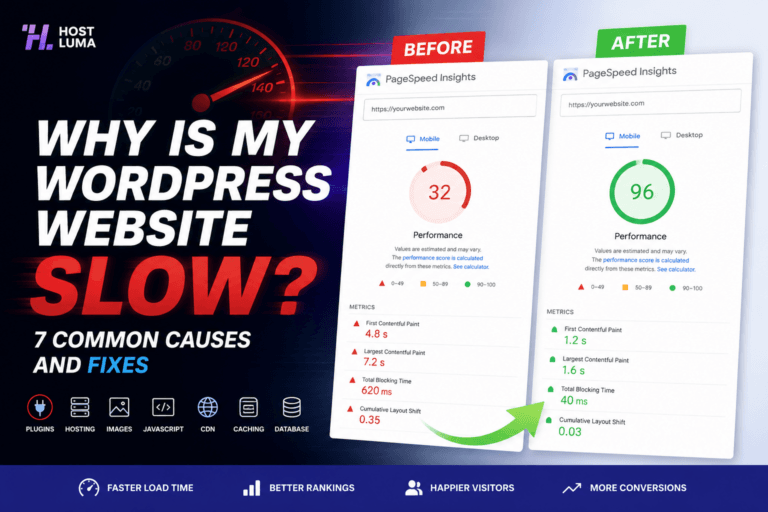
Performance testing tools are useful, but they should be interpreted carefully. A single score does not tell the full story. Test results can change depending on location, connection speed, device type, caching status and whether the page has recently been visited.
Useful tools include Google PageSpeed Insights, GTmetrix, Pingdom and WebPageTest. Look for patterns rather than obsessing over one number.
When testing, pay attention to:
- Largest Contentful Paint
- Total page size
- Number of requests
- Server response time
- Render-blocking resources
- Image size warnings
- JavaScript execution time
Test key pages such as the homepage, service pages, landing pages, product pages and checkout pages. A fast homepage is useful, but important conversion pages must also perform well.
Create an Ongoing Maintenance Routine
WordPress speed optimisation is not a one-time job. Websites change over time. New plugins, content, images, updates and tracking tools can all affect performance.
A good maintenance routine should include regular updates, uptime monitoring, backups, image checks, plugin reviews and performance testing. This helps prevent small issues becoming major problems.
For business owners, managed WordPress hosting can reduce the burden because technical maintenance is handled as part of the service rather than left until something breaks.
WordPress Speed Optimisation Checklist
- Use high-quality WordPress hosting
- Run a modern PHP version
- Enable effective page caching
- Optimise and resize images
- Use WebP images where possible
- Review and remove unnecessary plugins
- Use a CDN for static assets
- Reduce third-party scripts
- Optimise fonts
- Improve Core Web Vitals
- Clean the database carefully
- Test performance regularly
Frequently Asked Questions
What is the best way to speed up WordPress?
The best starting point is usually a combination of better hosting, caching, image optimisation and plugin cleanup. These areas often deliver the biggest improvements.
Does WordPress speed optimisation help SEO?
Yes, it can help. Speed supports better user experience and Core Web Vitals, which can contribute to stronger SEO performance when combined with useful content and good site structure.
Can too many plugins slow down WordPress?
Yes. Poorly coded, outdated or unnecessary plugins can increase page weight, database load and script execution time. Plugin quality matters as much as quantity.
Should every WordPress website use a CDN?
Not every website needs a CDN immediately, but most growing business websites can benefit from one, especially if they use many images or serve visitors across different locations.
How often should website speed be tested?
For business websites, speed should be reviewed at least monthly and after major design, plugin, theme or hosting changes.
Conclusion
WordPress speed optimisation is one of the most valuable investments a website owner can make in 2026. A faster website improves user experience, supports SEO, builds trust and can increase enquiries or sales.
The strongest results come from a balanced approach: reliable hosting, sensible caching, optimised images, clean plugins, a healthy database, good Core Web Vitals and regular maintenance.
Instead of chasing quick fixes, treat performance as an ongoing part of running a professional WordPress website. That approach creates a faster, safer and more reliable online presence for the long term.
For businesses that want performance handled for them, managed WordPress hosting can make the process much easier by combining speed-focused infrastructure with ongoing technical care.
Need Faster WordPress Hosting?
Discover fully managed WordPress hosting with LiteSpeed Enterprise, free CDN, automated backups and proactive WordPress maintenance.